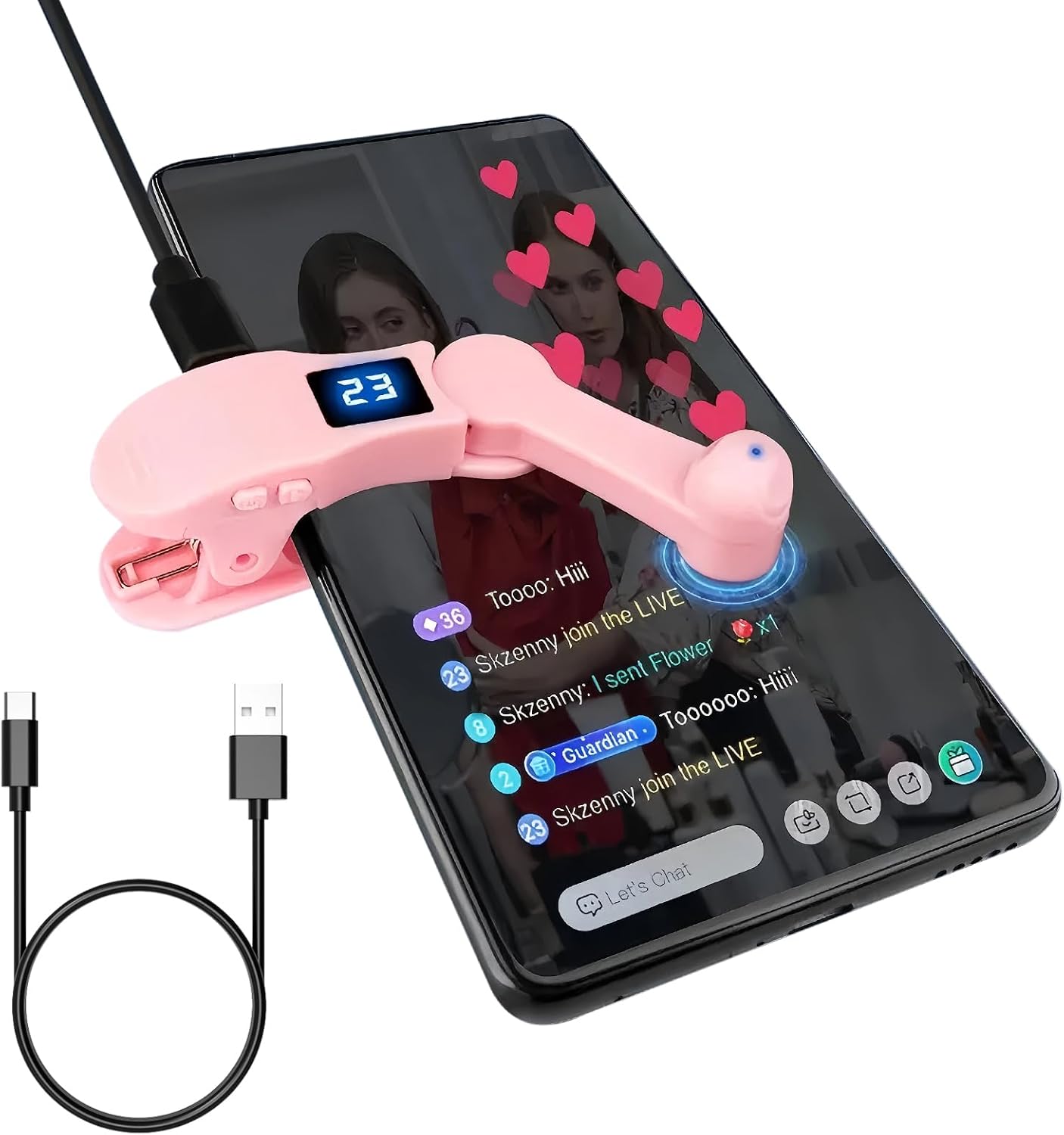
Auto Clicker for iPhone & TikTok Live - Auto Tap, Auto Screen Tapper for Smart Phone, Customizable Timing for Social Media, Broadcasts Likes, Lightning Deal, Reward Task (Pink)

Popular Trending · HalfofLife

Auto Clicker for iPhone & TikTok Live - Auto Tap, Auto Screen Tapper for Smart Phone, Customizable Timing for Social Media, Broadcasts Likes, Lightning Deal, Reward Task (Pink)

$8.99 3.4/5 from 70 reviews

Compare the current price for Auto Clicker for iPhone & TikTok Live - Auto Tap, Auto Screen Tapper for Smart Phone, Customizable Timing for Social Media, Broadcasts Likes, Lightning Deal, Reward Task (Pink) on NexaWeb before you buy. This page brings together the latest product details we have, the active retailer listing, price history signals, and related alternatives so you can judge whether the offer is worth clicking through for. NexaWeb does not sell the product directly; we help you compare the listing and then send you to the retailer to confirm stock, delivery, return terms, and final checkout price.

What to check before buying

  • Innovative Silent Design – This Phone Screen Auto-clicker leverages spatial mapping click technology to replace conventional mechanical clicking. It delivers silent, zero-noise clicks, boasts an extended lifespan, and uses cutting-edge technology that won’t harm your phone’s screen—all while offering heightened sensitivity and stability.
  • Customizable Tapping Speed: Our phone screen auto-clicker lets you fine-tune your tapping pace to perfection. Boasting 108 speed settings, it ranges from an ultra-rapid 99 clicks per second all the way down to a slow, measured 1 click every 9 seconds. You can save your favorite speed and benefit from lifelike, irregular tapping patterns that mimic human fingers—ensuring a smooth, natural experience.
  • Integrated LED Display Design – Our auto-clicker comes with an embedded LED digital display that shows the number of clicks at a glance, ensuring simple and convenient operation. The intelligent digital readout adds to its user-friendliness, making every interaction smoother.
  • Effortless to Use – Whether you attach the click head or utilize the screen clip, this device simulates automatic finger taps with ease. Connect the USB interface to a power supply, and it’s operational right away, letting your hands rest. Perfect for enhancing performance in games, live broadcasts, and efficient task completion.
  • Operating Instructions: Press the BOOT button to turn the device on, and a number will appear on the screen. Then press the start button to begin clicking—this mode is signaled by a blinking blue light. When the device is powered on, long-press the BOOT button to modify the frequency.

Buying notes from NexaWeb

Confirm the exact listingMarketplace pages can change by seller, color, size, bundle, or region. Check the final retailer page before paying.
Compare total costThe lowest item price is not always the lowest delivered price. Shipping, taxes, and return terms matter.
Use price historyIf the price has been steady for weeks, waiting may not help. If it recently spiked, set a price alert before buying.