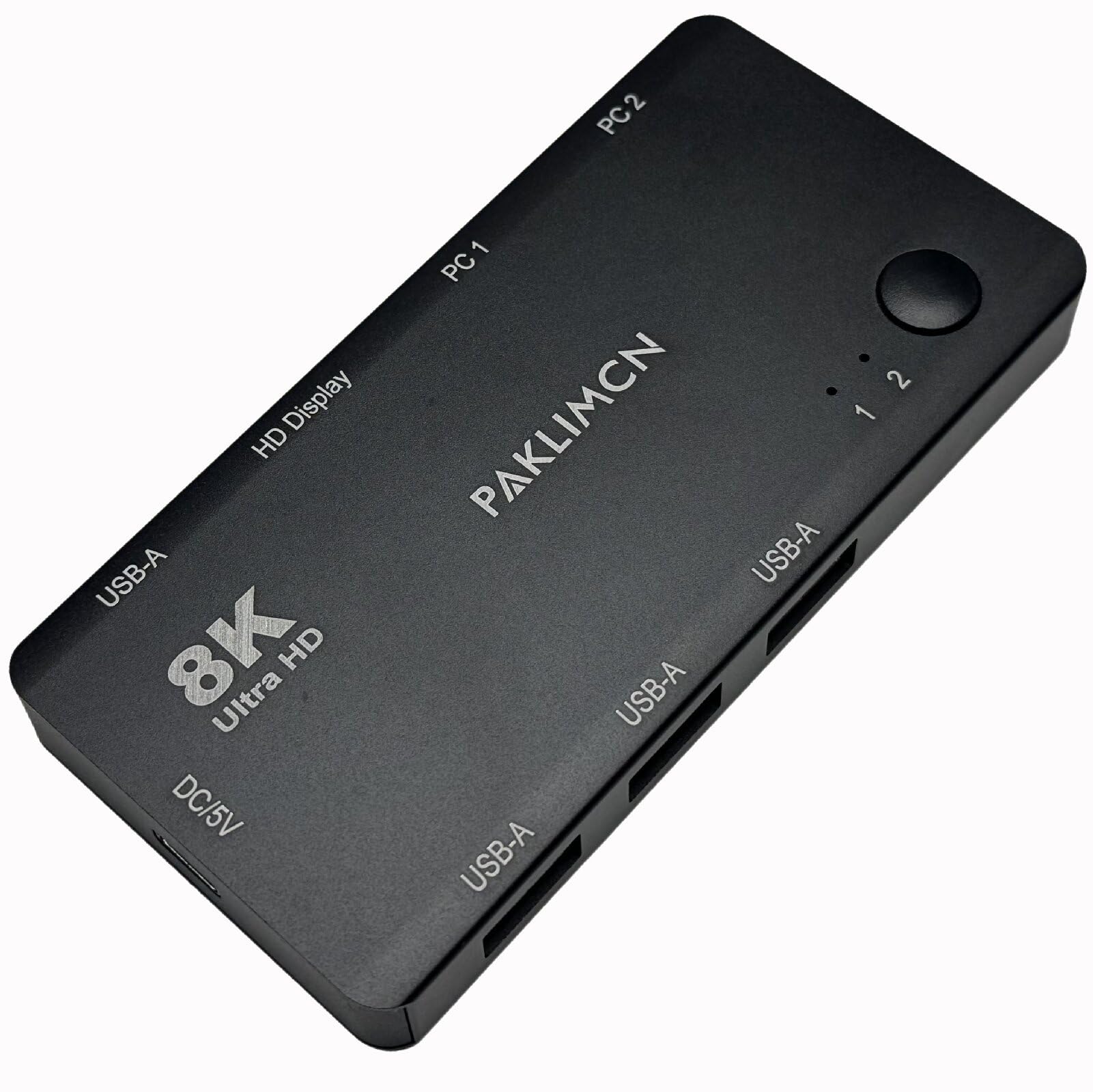
2-Port 8K@60Hz USB-C KVM Switch, 2 USB-C to 1 HDMI Screen,Thunderbolt 3/4 Compatible, 4 USB-A Port, for Dual PC, 2 Computers Share 1 HDMI Monitor & USB Peripherals, No HDMI Cable(HDMI Monitor)

Office Electronics · PAKLIMCN

2-Port 8K@60Hz USB-C KVM Switch, 2 USB-C to 1 HDMI Screen,Thunderbolt 3/4 Compatible, 4 USB-A Port, for Dual PC, 2 Computers Share 1 HDMI Monitor & USB Peripherals, No HDMI Cable(HDMI Monitor)

$49.99

Compare the current price for 2-Port 8K@60Hz USB-C KVM Switch, 2 USB-C to 1 HDMI Screen,Thunderbolt 3/4 Compatible, 4 USB-A Port, for Dual PC, 2 Computers Share 1 HDMI Monitor & USB Peripherals, No HDMI Cable(HDMI Monitor) on NexaWeb before you buy. This page brings together the latest product details we have, the active retailer listing, price history signals, and related alternatives so you can judge whether the offer is worth clicking through for. NexaWeb does not sell the product directly; we help you compare the listing and then send you to the retailer to confirm stock, delivery, return terms, and final checkout price.

What to check before buying

  • - 8K@60Hz UHD HDMI KVM Switch – USB-C KVM switch supports 8K@60Hz and 4K@120Hz UHD output via HDMI port (HDMI monitor required; different from DP monitors: HDMI is more widely compatible with daily devices, while DP focuses on high-performance professional scenarios). HDMI cable NOT included; prepare your own to unlock full KVM switch performance.
  • - One-Click Dual PC KVM Switching – 2-port KVM switch allows 2 computers to share 1 HDMI monitor and 1 set of USB peripherals (keyboard, mouse, printer) with a single click. No repeated cable plugging/unplugging, keeps your desk tidy, ideal for office, work-from-home, and dual-workstation KVM use.
  • - Thunderbolt 3/4 & Multi-System KVM Compatibility – Compatible with full-featured USB-C/Thunderbolt 3/4 ports (video output required). Works with Windows, macOS, Linux, ChromeOS, suitable for MacBook, Windows laptops, desktops and other KVM-compatible devices.
  • - 4 USB-A Ports for KVM Peripheral Sharing – Equipped with 4 USB-A ports, which can connect all essential USB devices (keyboard, mouse, USB drive, webcam, etc.) at once for KVM use. When connecting multiple high-power peripherals, it is recommended to use a 5V USB adapter (not included) to ensure stable KVM operation.
  • - Plug-and-Play HDMI KVM with Cables – No driver installation required, ready to use out of the box. Includes 2 full-function USB-C KVM cables (for connecting 2 computers) and 1 USB-A to USB-C KVM power cable. HDMI cable and 5V adapter need to be purchased separately for KVM setup.
  • - Compact & Durable HDMI KVM, Space-Saving – The KVM switch is small in size, saves desktop space, made of durable materials for long-term KVM use, suitable for home, office, business trip and other KVM application scenarios.

Buying notes from NexaWeb

Confirm the exact listingMarketplace pages can change by seller, color, size, bundle, or region. Check the final retailer page before paying.
Compare total costThe lowest item price is not always the lowest delivered price. Shipping, taxes, and return terms matter.
Use price historyIf the price has been steady for weeks, waiting may not help. If it recently spiked, set a price alert before buying.