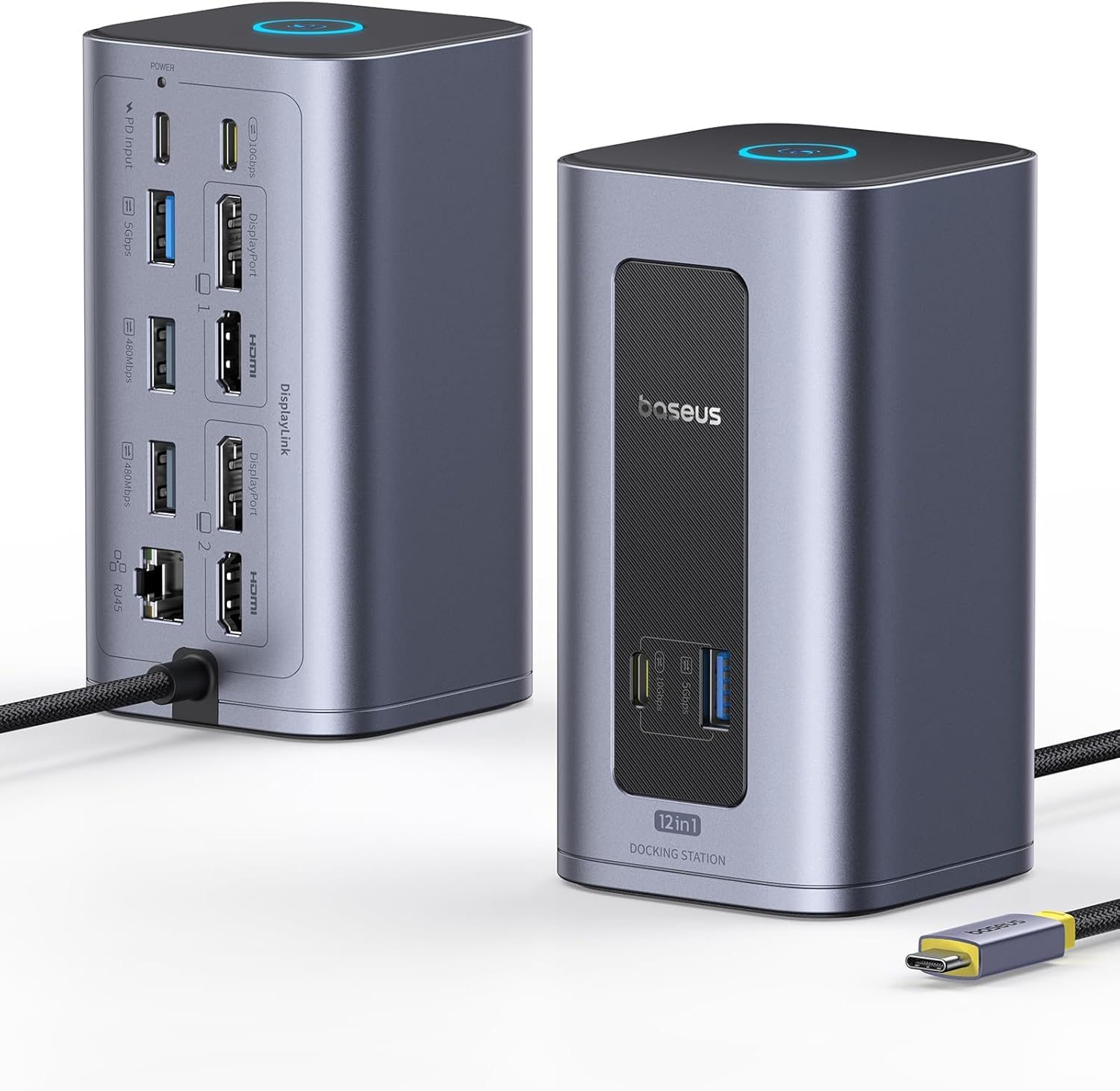
Baseus Nomos Air Mac 12 in 1 Docking Station, Dual Monitor Laptop Docking Station with 2K HDMI/DP, 10Gbps USB-C/A, 100W PD, USB C Docking Station Compatible for macOS, Displaylink Driver Required

Office Electronics · Baseus

Baseus Nomos Air Mac 12 in 1 Docking Station, Dual Monitor Laptop Docking Station with 2K HDMI/DP, 10Gbps USB-C/A, 100W PD, USB C Docking Station Compatible for macOS, Displaylink Driver Required

$199.99

Compare the current price for Baseus Nomos Air Mac 12 in 1 Docking Station, Dual Monitor Laptop Docking Station with 2K HDMI/DP, 10Gbps USB-C/A, 100W PD, USB C Docking Station Compatible for macOS, Displaylink Driver Required on NexaWeb before you buy. This page brings together the latest product details we have, the active retailer listing, price history signals, and related alternatives so you can judge whether the offer is worth clicking through for. NexaWeb does not sell the product directly; we help you compare the listing and then send you to the retailer to confirm stock, delivery, return terms, and final checkout price.

What to check before buying

  • 12 Ports, One Compact Dock: Displaylink Driver Required. Get all your essentials in one hub: 2 HDMI, 2 DisplayPort, 2 USB-C (10Gbps), 2 USB-A (5Gbps), 2 USB-A 2.0, 100W PD input, and Gigabit Ethernet. Create a clean, organized workstation with maximum connectivity. (Note: PD charger and cables not included.)
  • Baseus Nomos Air Mac 12 in 1 Docking Station, Dual Monitor Laptop Docking Station with 2K HDMI/DP, 10Gbps USB-C/A, 100W PD, USB C Docking Station Compatible for macOS, Displaylink Driver Required
  • Blazing-Fast 10Gbps Data Transfer: Streamline your workflow with lightning-fast 10Gbps data transfer. Transfer massive files in seconds and enjoy smooth, lag-free performance—perfect for video editing, 3D rendering, and heavy-duty tasks
  • Smarter Power, Longer Laptop Life: Supports up to 100W PD input with dynamic power allocation. Unlike most hubs that deduct power for all ports—even unused ones—our dock reallocates all unused power back to your laptop. This ensures faster charging, longer battery life, and maximum efficiency
  • Screen-Lock & Energy-Saving Mode: Press once to instantly lock your screen for privacy. Press and hold 2s to enter Energy-Saving Mode—disconnecting peripherals but keeping PD charging on. Wake your laptop the next day still at full power

Buying notes from NexaWeb

Confirm the exact listingMarketplace pages can change by seller, color, size, bundle, or region. Check the final retailer page before paying.
Compare total costThe lowest item price is not always the lowest delivered price. Shipping, taxes, and return terms matter.
Use price historyIf the price has been steady for weeks, waiting may not help. If it recently spiked, set a price alert before buying.